

How to Access Your Online Account Portal
Want to view your account, order gas, or make an online payment? Follow these steps to create a login and password for your account.
For more information on how to make an online payment through your account click HERE.
Step-by-Step Instructions
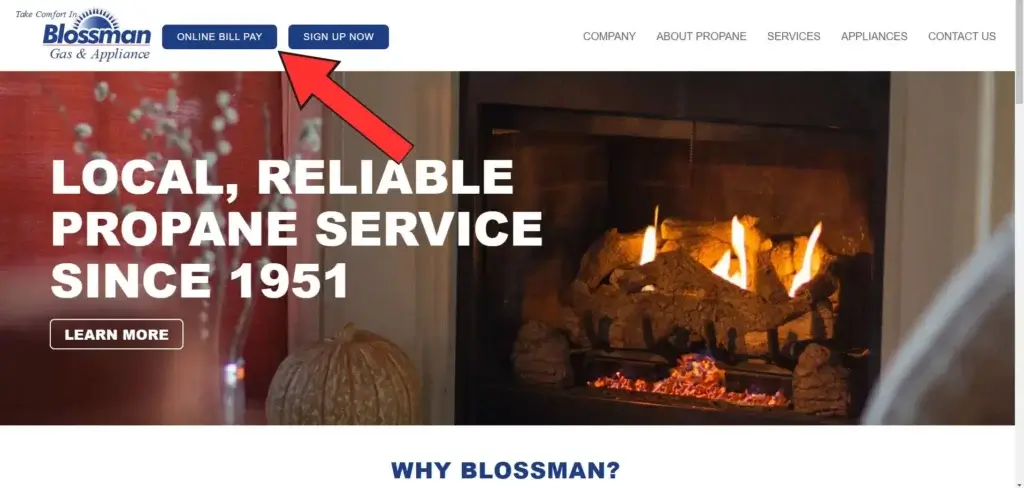
Click on the Online Bill Pay button found in the upper-left hand corner of the blossmangas.com navigation bar.
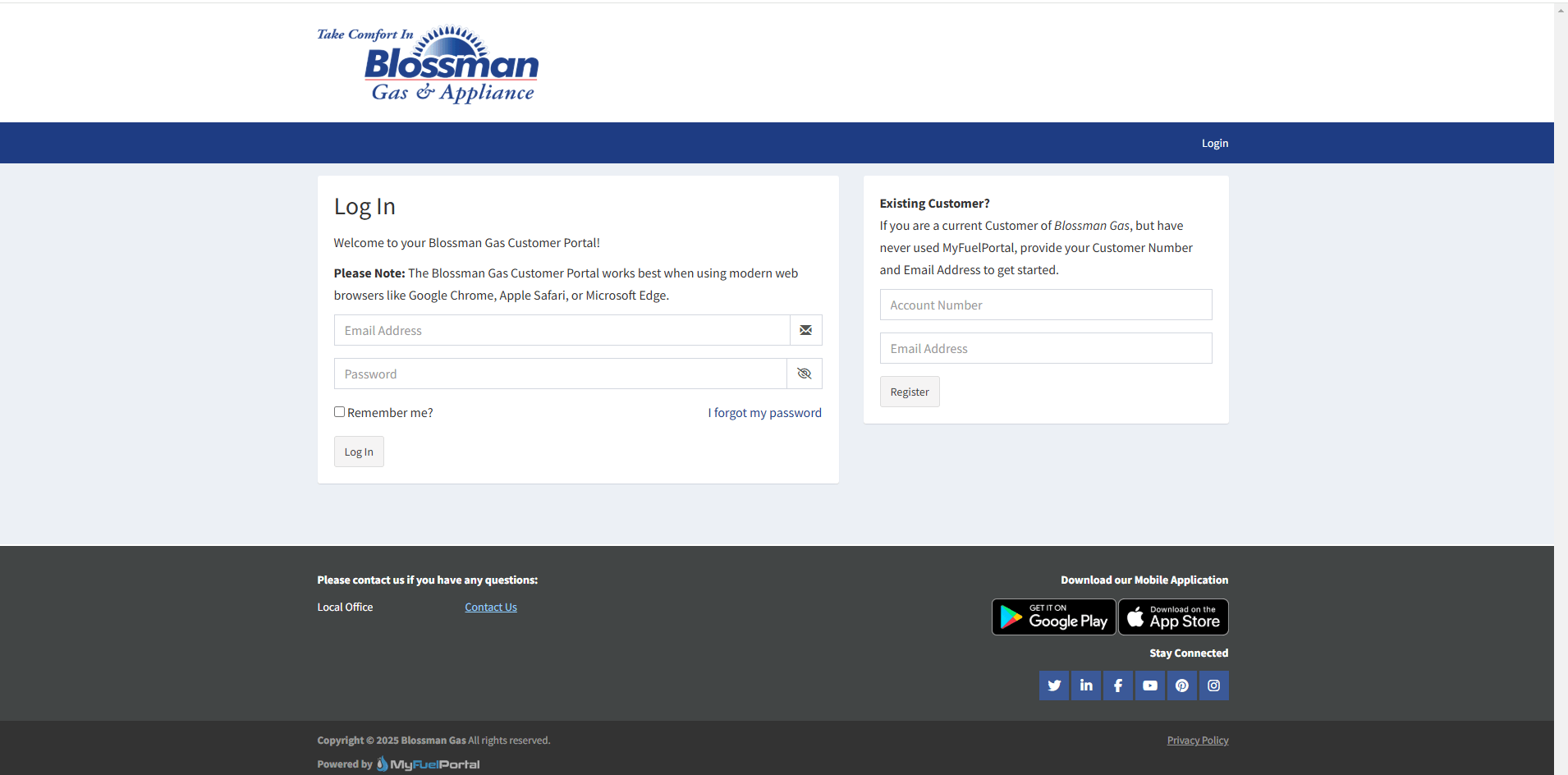
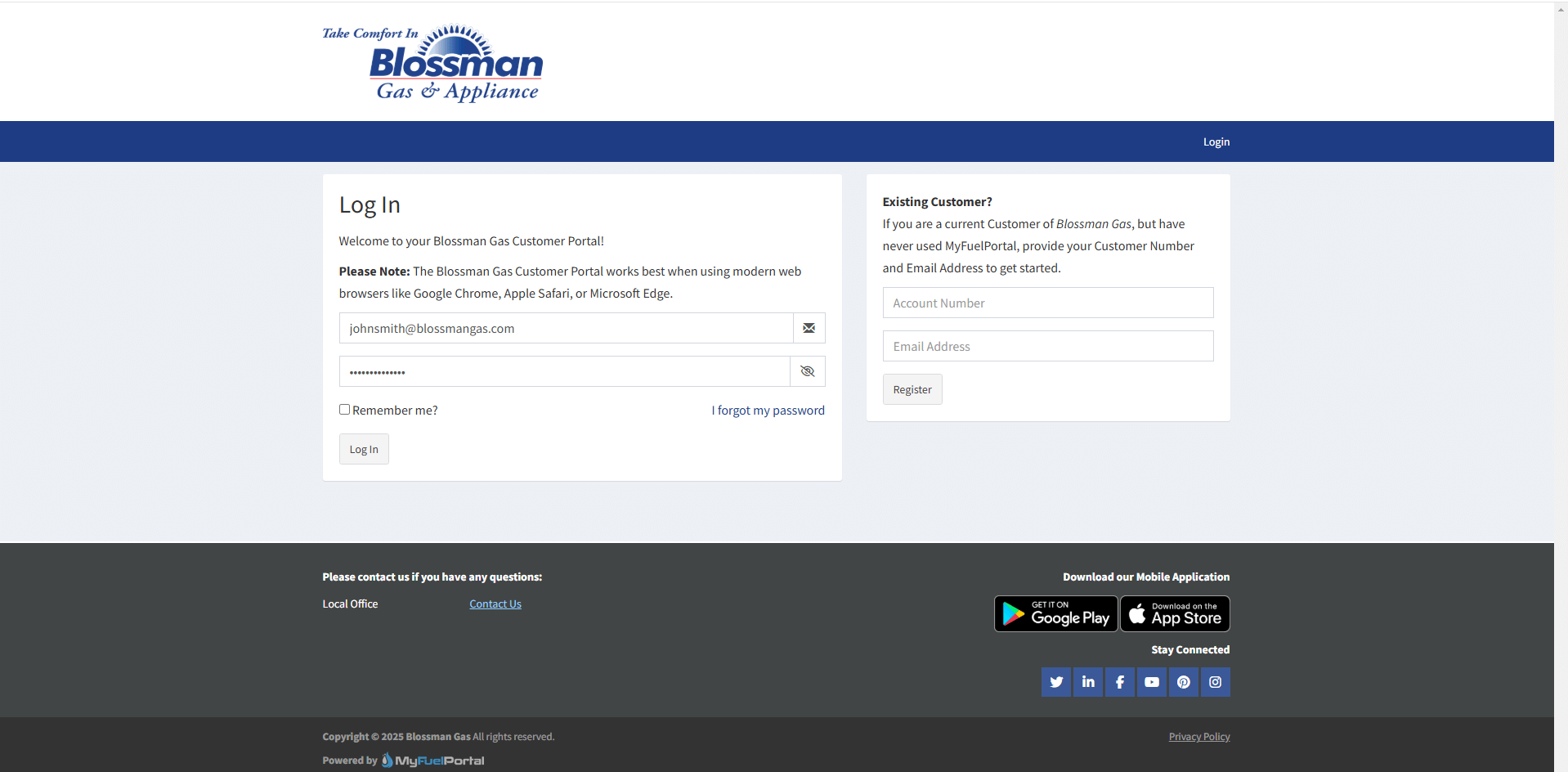
From this page, you can either Log In or, if you have never used MyFuelPortal before, you can provide your Account Number and Email Address in the “Existing Customer?” section and then click “Register.”
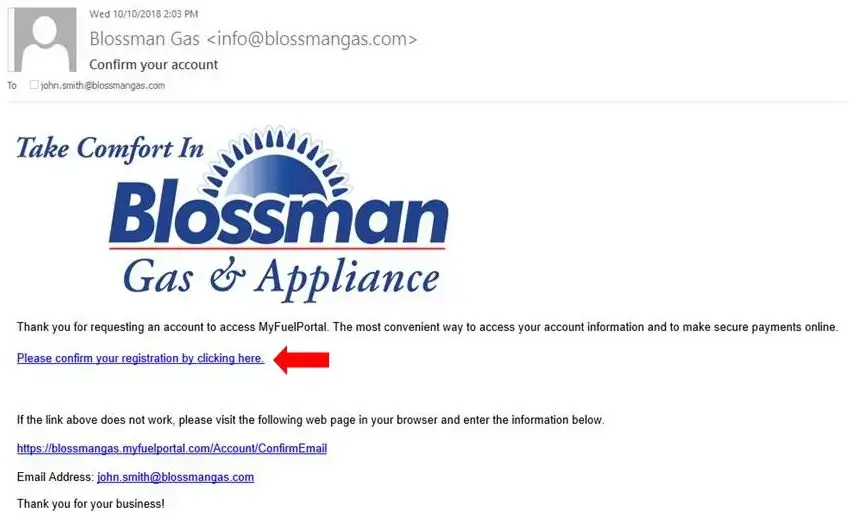
An email will be sent to the email account that you have provided, and from there you can click the “Confirm your Registration” link.
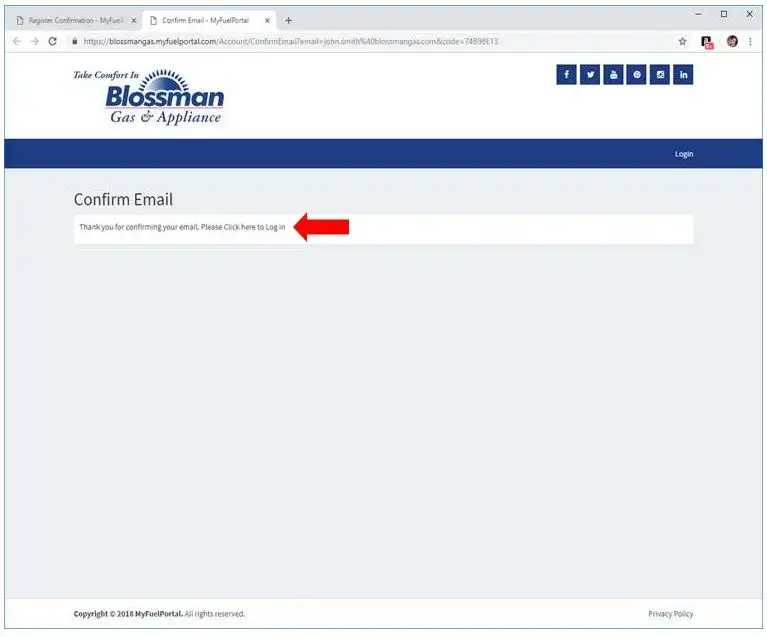
Head back to the Blossman Gas Customer Login page, and click to “Log In” with your new credentials.
Login using your new password, and begin managing your Account online!
We hope that you enjoy the new features provided in our online portal, and should you have further questions, please do not hesitate to call 1-888-BLOSSMAN for assistance.
Thank you for choosing Blossman Gas.